
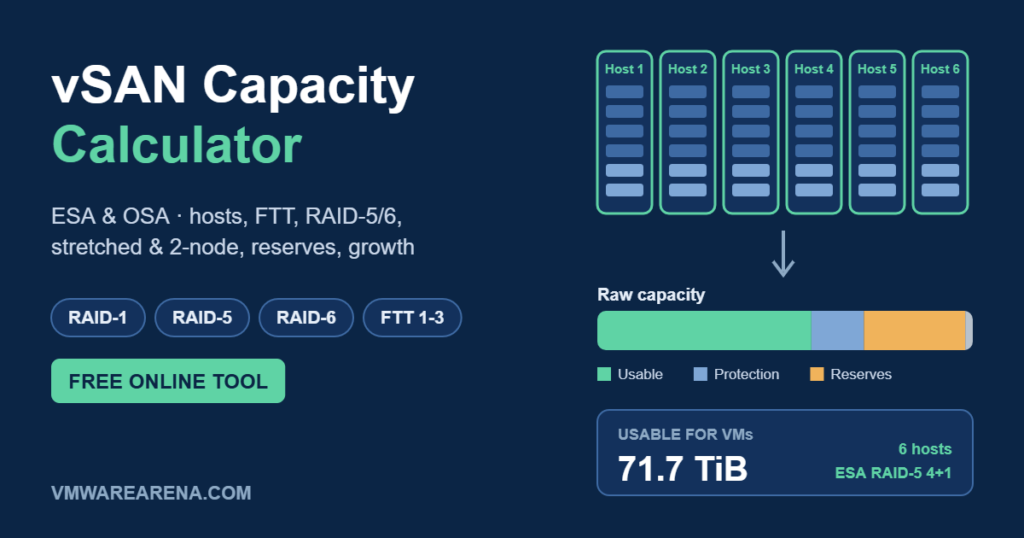
“How much usable capacity will I get?” is the first question in every vSAN design, and it’s surprisingly easy to get wrong. Raw TB on the quote is not what your VMs get. Storage policy, RAID level, the number of hosts, capacity reserves and even TB vs TiB all take a slice.
So I built a free vSAN capacity calculator that handles all of it: vSAN ESA and OSA, standard, stretched and 2-node clusters, every FTT and RAID option, capacity reserves, data reduction and workload growth. It also tells you whether your host count meets the policy and how many hosts you need for your workload. Below the calculator, I explain how each number is worked out.
vSAN Capacity Calculator
vSAN ESA and OSA. Covers standard, stretched and 2-node clusters, every RAID/FTT policy, capacity reserves, data reduction and workload growth.
1. Cluster
2. Storage policy
3. Reserved capacity
4. Workload (optional): does it fit, and how many hosts do I need?
All policies for this cluster
Same hardware, every policy. Highlighted row = your selection. “Hosts for workload” = smallest cluster with the same host config that fits your planned workload.
| Policy | Overhead | Min hosts | Rec. hosts | Host failures | Usable | Hosts for workload |
|---|
Estimates for planning only. Protection math follows vSAN’s RAID rules (ESA RAID-5 adapts: 2+1 below 6 hosts, 4+1 at 6 or more). Real-world capacity also depends on object sizes, thin provisioning, dedup/compression results and vSAN version, so validate final designs with the official VMware/Broadcom sizer. Created by VMwareArena.com.
How vSAN Capacity Is Calculated
Think of it as a pipeline. You start with raw capacity and take something away at each step:
- Raw capacity = hosts × capacity drives per host × drive size. On OSA, only capacity-tier drives count; cache drives add performance, not space. On ESA, every NVMe drive in the storage pool counts.
- On-disk overhead – file system, metadata and checksums. Plan for roughly 1–2%.
- Reserved capacity – free space vSAN needs to resync, rebalance and rebuild after a failure (explained below).
- Protection overhead – divide what's left by the storage policy multiplier (2× for RAID-1 FTT=1, 1.25× for ESA RAID-5 4+1, and so on).
- Data reduction – multiply by your expected compression / dedup ratio, if you want to count on it.
And one more trap: drives are sold in TB (1012 bytes), but vSAN reports TiB (240 bytes). 1 TB = 0.909 TiB, so a "100 TB" cluster shows about 91 TiB in vCenter before anything else is taken away. The calculator lets you switch between the two.
Storage Policies: Overhead and Minimum Hosts
FTT (failures to tolerate) decides how many host failures your data survives. The RAID method decides how much capacity that protection costs.
| Policy | Layout | Capacity overhead | Min hosts | Recommended hosts | Host failures tolerated |
|---|---|---|---|---|---|
| RAID-1, FTT=1 | 2 copies + witness | 2.0× | 3 | 4 | 1 |
| RAID-5, FTT=1 (OSA) | 3+1 | 1.33× | 4 | 5 | 1 |
| RAID-5, FTT=1 (ESA, 3–5 hosts) | 2+1 | 1.5× | 3 | 4 | 1 |
| RAID-5, FTT=1 (ESA, 6+ hosts) | 4+1 | 1.25× | 6 (for 4+1) | 7 | 1 |
| RAID-1, FTT=2 | 3 copies + witnesses | 3.0× | 5 | 6 | 2 |
| RAID-6, FTT=2 | 4+2 | 1.5× | 6 | 7 | 2 |
| RAID-1, FTT=3 | 4 copies + witnesses | 4.0× | 7 | 8 | 3 |
Why "recommended" is one more than the minimum: with exactly the minimum, a host failure or maintenance mode leaves vSAN nowhere to rebuild the missing components, so your VMs run unprotected until the host comes back. One spare host (N+1) fixes that.
ESA's adaptive RAID-5
vSAN ESA picks the RAID-5 layout based on cluster size: 2+1 for clusters of 3–5 hosts and 4+1 for 6 hosts or more. Going from 2+1 to 4+1 cuts the overhead from 150% to 125% of the data size. If a 6-host cluster drops to 5 hosts for a long time (failure or extended maintenance), vSAN automatically converts objects back to 2+1 after about 24 hours, and returns to 4+1 when the host comes back. The calculator applies this automatically when you change the host count.
On ESA, RAID-5/6 also performs as well as RAID-1 thanks to the new log-structured file system. That's why, on ESA, I almost always recommend RAID-5 or RAID-6 over mirroring: same performance, much less capacity.
Reserved Capacity: Don't Fill vSAN to 100%
vSAN needs free space to do its job: resyncing after a policy change, rebalancing, and rebuilding data after a host failure. There are two ways to plan for it, and the calculator supports both:
- Capacity reserve (vSAN 7 U1 and later) – two toggles in vCenter. The Operations reserve keeps space for internal operations (I use 10% as a planning default). The Host rebuild reserve keeps one host's worth of capacity free so vSAN can rebuild after a host failure. It isn't supported on 3-host clusters.
- Fixed slack space – the older rule of thumb of keeping 25–30% free. Still the right approach when you use fault domains, because the reserve toggles aren't available on clusters with fault domains configured.
Notice how the host rebuild reserve shrinks as clusters grow: one host is 25% of a 4-host cluster, but only 12.5% of an 8-host cluster. Larger clusters are simply more efficient.
Stretched and 2-Node Clusters
- Stretched cluster: data is mirrored across two data sites (site mirroring), then optionally protected again inside each site with a local policy. Capacity overhead = 2 × the local policy. For example, site mirroring + local RAID-5 (2+1) costs 3×, and site mirroring + local RAID-1 costs 4×. In exchange, you survive the loss of an entire site and a host failure in the surviving site. Each site needs enough hosts for the local policy, plus a witness at a third site.
- 2-node cluster: two data hosts mirroring each other (2×), plus a witness appliance. Great for ROBO and edge sites. Note that there's no spare host to rebuild onto, so plan generous free space.
Worked Examples
All examples use hosts with 6 × 3.84 TB NVMe drives, ESA, 10% operations reserve, host rebuild reserve on (except 2-node), 2% metadata overhead and no data reduction:
| Cluster | Policy | Raw | Usable for VMs |
|---|---|---|---|
| 6 hosts | RAID-1, FTT=1 | 138.2 TB | 49.3 TB (44.8 TiB) |
| 6 hosts | RAID-5 (4+1), FTT=1 | 138.2 TB | 78.9 TB (71.7 TiB) |
| 6 hosts | RAID-6 (4+2), FTT=2 | 138.2 TB | 65.7 TB (59.8 TiB) |
| 6 hosts | RAID-1, FTT=2 | 138.2 TB | 32.9 TB (29.9 TiB) |
| 4 hosts | RAID-5 (2+1), FTT=1 | 92.2 TB | 38.7 TB (35.2 TiB) |
| Stretched, 4 + 4 hosts | Site mirror + RAID-5 (2+1) | 184.3 TB | 38.7 TB (35.2 TiB) |
| 2-node | RAID-1 mirror | 46.1 TB | 20.3 TB (18.4 TiB) |
Look at the first two rows: the same six hosts give 60% more usable capacity with ESA RAID-5 than with RAID-1, and you still tolerate one host failure. RAID-6 gives you FTT=2 and still beats RAID-1 FTT=1 on capacity. Policy choice is the biggest capacity lever you have, often bigger than buying more drives.
Sizing Tips from the Field
- Size on used capacity, not provisioned. vSAN is thin by default. Use the used space from your current datastores, then add growth.
- Don't count on data reduction for the initial design. Treat compression and dedup savings as a bonus. Plan with 1.0× and measure the real ratio after migration.
- Prefer more hosts over bigger hosts. More hosts means a smaller rebuild reserve, access to ESA RAID-5 4+1, and less impact when one host is down.
- Leave room for growth. Adding a host is easy, but adding drives to full hosts or replacing them with bigger ones is not. Size for at least 3 years.
- Remember the witness. Stretched and 2-node clusters need a witness host at a third site, sized for the number of components.
- Validate the final design with the official VMware/Broadcom vSAN sizer and your hardware vendor. Treat this calculator as your quick planning tool.
FAQ
How many hosts do I need for vSAN RAID-5?
On ESA, 3 hosts (2+1 layout), 4 recommended. On OSA, 4 hosts (3+1), 5 recommended. To get ESA's more efficient 4+1 layout, you need 6 or more hosts.
How many hosts do I need for RAID-6?
At least 6 hosts, with 7 recommended. RAID-6 tolerates two host failures with only 1.5× overhead.
Why does vCenter show less capacity than my calculation?
Usually TB vs TiB (drives in TB, vSAN in TiB), plus on-disk overhead and the reserves you enabled. Switch the calculator to TiB to compare like for like.
Do OSA cache drives count towards capacity?
No. In OSA, the cache tier is used for read caching and write buffering only. Enter only capacity-tier drives in the calculator.
If you'd like a scenario added to the calculator, let me know in the comments. And if this tool saves you time, please share it with your team.
References
- vSAN 8.0 ESA – Introducing Adaptive RAID-5 – Duncan Epping
- Auto-Policy Management Enhancements for the ESA in vSAN 8 U2 – VMware
- RAID-5 objects not immediately converted from 2+1 to 4+1 – Broadcom KB 405876