
Every VCF design review I’ve been part of this year has had the same tense moment: someone opens the hardware quote and looks at the NVMe line. Drive prices have gone up, lead times are long, and storage is usually the single biggest chunk of the bill. That’s why I think one VCF 9.1 feature deserves a slot in every new design discussion: vSAN ESA Global Deduplication.
It shipped in VCF 9.0 as a limited-availability feature you had to request. In VCF 9.1 it’s generally available to everyone. Here’s what it does, how it differs from the old vSAN dedup, the limits you need to know, and how I’d factor it into sizing.
Why the Old vSAN Dedup Never Excited Anyone
vSAN has had deduplication for years, but on the Original Storage Architecture (OSA) it only worked inside a disk group. Two identical blocks sitting in different disk groups, or on different hosts, were stored twice. Ratios stayed modest, and turning it on had a real performance cost, so most customers I worked with simply left it off.
The ESA version was designed from scratch, and the difference is big:
| vSAN OSA dedup & compression | vSAN ESA Global Deduplication | |
|---|---|---|
| Dedup domain | One disk group | The whole cluster |
| When it runs | Inline, as data destages from cache | After the write (post-process), colder data first |
| Block size | 4K | 4K |
| Performance impact | Noticeable | Minimal; suitable for all workload types |
| Turning it off | Disk group rebuild | Just pauses post-processing; deduplicated data stays deduplicated |
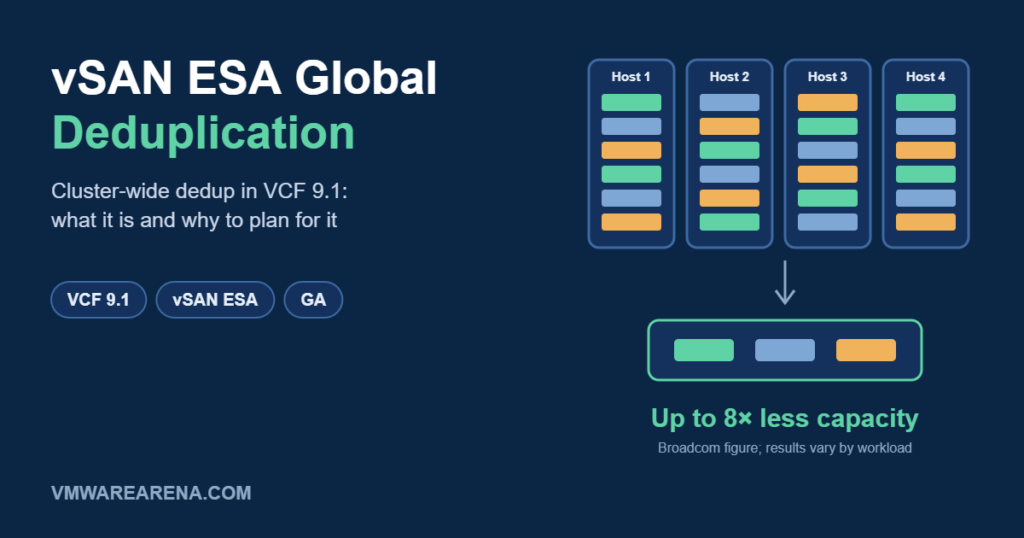
Because the whole cluster is one dedup domain, the same OS image cloned across 200 VMs on 12 hosts is stored essentially once. Broadcom quotes capacity reductions of up to 8× for the right workloads. Your mileage will depend heavily on your data, but VDI, server fleets built from the same templates, and dev/test clones are exactly where it shines.
How It Works
- Writes land on vSAN exactly as they do today. The ESA write path doesn’t change, so there’s no inline hashing slowing your VMs down.
- vSAN records a hash for each 4K block in its metadata, with a pointer to where the data lives.
- In the background, vSAN looks for matching hashes across the cluster, starting with colder data. When it finds a duplicate, it keeps one copy and points the others at it.
- Compression still works alongside it, so the savings stack.
Requirements and Limits in VCF 9.1
- vSAN ESA only. OSA clusters keep the old disk-group dedup.
- Standard vSAN HCI clusters from 3 to 64 hosts, plus vSAN storage clusters, are supported.
- Not supported on stretched or 2-node clusters (yet). If your design leans on either, size those clusters without dedup.
- Works with data-at-rest encryption in 9.1. In 9.0 you had to choose one or the other, which ruled it out for most regulated customers. That restriction is gone.
- Enabled per cluster in the vSphere Client. On clusters upgraded from 9.0, savings build up gradually as background processing works through existing data. New clusters benefit straight away.
- Use fast networking. The 9.0 limited-availability release required 25 GbE or faster. That’s the right baseline for any ESA cluster anyway.
Why It Matters for Your VCF Design
- Buy fewer drives. Even a conservative 1.5–2× reduction on a 6-host cluster can save tens of terabytes of NVMe, which often means smaller or fewer drives per host.
- Stretch your vSAN entitlement. VCF includes 1 TiB of vSAN per licensed core, measured on raw capacity. Dedup lets you fit more VM data into the same raw TiBs, so you’re less likely to need vSAN add-on licenses. My VCF 9 licensing post explains how the entitlement works.
- A real answer to the “SAN has better dedup” argument. That was always one of the reasons customers kept an external array. Cluster-wide dedup on ESA closes most of that gap.
How I’d Size for It
- Be conservative on day one. Plan the first purchase at 1.0–1.5×. Dedup ratios vary a lot between environments, and nobody wants to explain a capacity shortfall six months in.
- Measure after migration. vSAN shows the actual savings from dedup and compression in the capacity view. Use those real numbers for the next expansion.
- Play with the numbers. My vSAN Capacity Calculator has a data reduction field. Try 1.0, 1.5 and 2.0 and see how much hardware it could save you.
- Remember the exclusions. Stretched and 2-node clusters get sized without dedup.
My Take
Global dedup doesn’t look exciting on a slide, but it changes the bill of materials, and that’s what gets a project approved. With NVMe prices where they are, any new VCF 9.1 design on vSAN ESA should at least evaluate it. Start conservative, measure, and let the real savings shape your next expansion.
I hope this is informative for you. Thanks for reading! Be social and share it on social media if you feel worth sharing it.
References
- More Capacity with vSAN Compression and Global Deduplication in VCF 9.1 – VMware Blog
- Global Deduplication in vSAN ESA for VCF 9.0 – VMware Blog
- vSAN Space Efficiency Technologies – VMware